Matter Smart Home Setup Guide for Mixed Smart Homes
 Updated March 2026
Matter is finally useful in 2026 — but it still isn’t magic. The best reason to care about Matter is simple: it reduces the odds that your smart home turns into a pile of separate apps, fragile workarounds, and brand lock-in. The wrong way to approach it is to assume every Matter badge guarantees a flawless experience. It doesn’t.
This guide is for mixed smart homes: people using some Apple Home gear, some Alexa devices, maybe Google Home displays, and a few newer products that promise interoperability. The goal isn’t to make every device identical. The goal is to build a setup that is easier to manage, easier to expand, and less likely to break when you mix brands.
If you want the fast shortlist first, pair this guide with our smart home comparison page. If you’re trying to build the right foundation before buying new devices, this page is the place to start.
What Matter Does Well in 2026
Matter is most helpful when you want devices from different brands to coexist more cleanly. In practice, that usually means easier onboarding, more consistent cross-platform compatibility, and fewer dead-end purchases. It is especially valuable when you’re buying new categories like locks, lights, thermostats, and hubs and want flexibility later.
What Matter does not do is eliminate all ecosystem differences. Apps still vary. Advanced features still vary. Automation depth still varies. So the smart move is to use Matter for interoperability and then pick individual products based on the job they do best.
The 5-Step Matter Setup Plan
1. Pick Your Primary Control Platform
Before buying anything, decide which platform you will actually use most often: Apple Home, Alexa, Google Home, or another controller. Matter helps devices cross ecosystems, but your everyday experience still benefits from one primary control layer. Pick the one your household already uses most naturally.
2. Confirm You Have a Border Router or Hub Strategy
Thread-based Matter devices need the right plumbing underneath. That usually means a compatible smart speaker, display, or hub acting as a border router. If you skip this planning step, “Matter-ready” devices can turn into annoying setup exercises instead of quick wins.
For mixed homes, a flexible hub is often the cleanest bridge. The SwitchBot Hub 2 is one of the better value plays here because it helps bring legacy IR devices into the fold while giving you a more future-friendly automation base.
SwitchBot Hub 2
Matter-ready hub for IR devices and automations.
- Matter-ready upgrade path
- IR learning for older devices
- Built-in temperature and humidity sensing
- Strong value for mixed homes
Price and availability can change. For current details, see Amazon at purchase time (October 2026).
This is an affiliate link. I may earn a commission at no extra cost to you. As an Amazon Associate I earn from qualifying purchases.
3. Start With High-Impact Categories
Don’t try to convert the whole home at once. Start with categories where interoperability matters most:
- Locks: important for household-wide access and automations.
- Thermostats: high ROI because comfort and energy use are daily concerns.
- Lights: low-friction way to learn scenes, routines, and room structure.
- Hubs and controllers: the backbone that makes mixed systems less messy.
4. Build Routines Around Rooms, Not Gadgets
The best smart homes are organized around what you want to happen, not around what brand made the device. “Good morning,” “leave home,” and “movie night” routines are much more durable than separate device-specific automations. Matter is useful because it makes those routines easier to build across brands.
5. Keep Privacy and Local Control in View
Mixed smart homes get complicated fast when too many features depend on too many clouds. Whenever possible, prefer products that keep critical functions dependable even when your internet or one vendor’s service is flaky. Matter doesn’t solve privacy on its own, but it can help reduce how trapped you are inside a single ecosystem.
Best Starter Devices for a Mixed Matter Home
Aqara U400 Smart Lock — Best High-Impact Upgrade
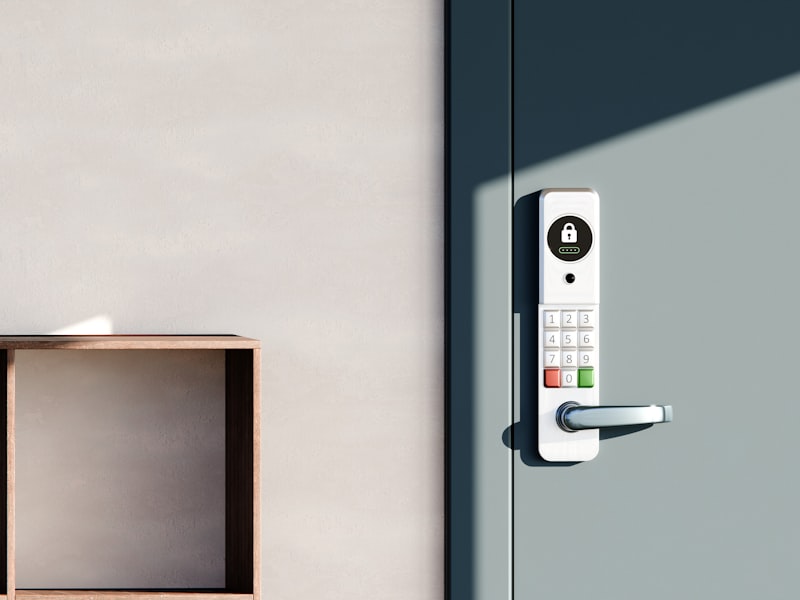
Aqara U400 Smart Lock
UWB-powered lock with hands-free entry support.
- Hands-free UWB entry
- Strong modern lock upgrade
- Good fit for cross-platform smart homes
- Excellent future-facing access control
Price and availability can change. For current details, see Amazon at purchase time (October 2026).
This is an affiliate link. I may earn a commission at no extra cost to you. As an Amazon Associate I earn from qualifying purchases.
A smart lock is one of the fastest ways to feel whether your smart home setup is genuinely useful. The Aqara U400 stands out because access control is one of the places where interoperability matters most. You want household members, routines, and security logic to work cleanly without rebuilding everything around a single vendor.
Ecobee Smart Thermostat Premium — Best Comfort Upgrade

Ecobee Smart Thermostat Premium
Energy savings with remote sensors and voice control.
- Remote sensors
- Strong mixed-platform fit
- Detailed comfort and energy reporting
- Excellent for work-from-home households
Price and availability can change. For current details, see Amazon at purchase time (October 2026).
This is an affiliate link. I may earn a commission at no extra cost to you. As an Amazon Associate I earn from qualifying purchases.
Thermostats are another strong Matter-era purchase because they sit at the intersection of comfort, automation, and energy savings. If you want the best buyer-focused breakdown, use our AI thermostat roundup and the full Ecobee review together.
Philips Hue Starter Kit — Best Lighting Foundation

Philips Hue Starter Kit
Color smart lighting with broad ecosystem support.
- Reliable smart-lighting foundation
- Excellent ecosystem support
- Great for scenes and routines
- Strong long-term upgrade path
Price and availability can change. For current details, see Amazon at purchase time (October 2026).
This is an affiliate link. I may earn a commission at no extra cost to you. As an Amazon Associate I earn from qualifying purchases.
Lighting is usually the easiest way to learn rooms, scenes, and routines without touching security or HVAC first. The smart bulb guide covers the brand tradeoffs in more detail, but Hue remains the strongest “buy it once, build on it later” option.
Sample Matter Setup for a Hybrid Household
- Primary control: whichever app or assistant the household already uses most.
- Entry point: Aqara U400 for lock access and household arrival routines.
- Climate: Ecobee for sensor-driven comfort and energy savings.
- Legacy bridge: SwitchBot Hub 2 for IR devices and extra automation flexibility.
- Lighting: Hue or another strong smart-lighting base for scenes and room logic.
That kind of stack is powerful because each device category has a clear role. The lock handles entry, the thermostat handles comfort, the hub helps legacy hardware participate, and the lights make routines visible and useful. Matter helps make the system feel more cohesive instead of forcing one-brand purity.
When Matter Is Worth Prioritizing
- You already own multiple ecosystems.
- You want future flexibility more than brand loyalty.
- You’re buying into core categories like locks, climate, and lights.
- You care about reducing app sprawl and setup friction over time.
When Matter Shouldn’t Be the Only Filter
- When the non-Matter product is simply much better.
- When you need advanced features only the native ecosystem exposes.
- When your current setup already works well and the “upgrade” only adds complexity.
That’s the real 2026 takeaway: Matter is now important enough to plan around, but not important enough to ignore product quality, privacy, comfort, or day-to-day reliability.
Frequently Asked Questions
Do I need Matter for a smart home in 2026?
No, but it is increasingly helpful if you mix brands or want cleaner upgrade paths. If your home is already all-in on one ecosystem and working well, Matter may be a nice bonus rather than a requirement.
What is the most important first Matter purchase?
Usually a hub, lock, thermostat, or lighting foundation — something that affects daily routines. Matter matters most when it improves a high-use category, not when it exists only as a checkbox.
Is a Matter setup better for privacy?
Not automatically. Matter can help reduce dependence on one vendor, but privacy still depends on the products, apps, cloud requirements, and automation choices you make.
Can I mix Apple Home, Alexa, and Google Home devices with Matter?
Often, yes — more easily than before. That said, mixed-platform homes still work best when you choose one primary controller and use Matter to improve flexibility rather than to avoid making any decisions at all.
Next Best Page (Build Faster)
Use this path to go from Matter planning to actual device decisions without getting lost in brand noise.
// --- Pricing disclaimer (bottom of content) echo $rtg_pricing_disclaimer; ?>